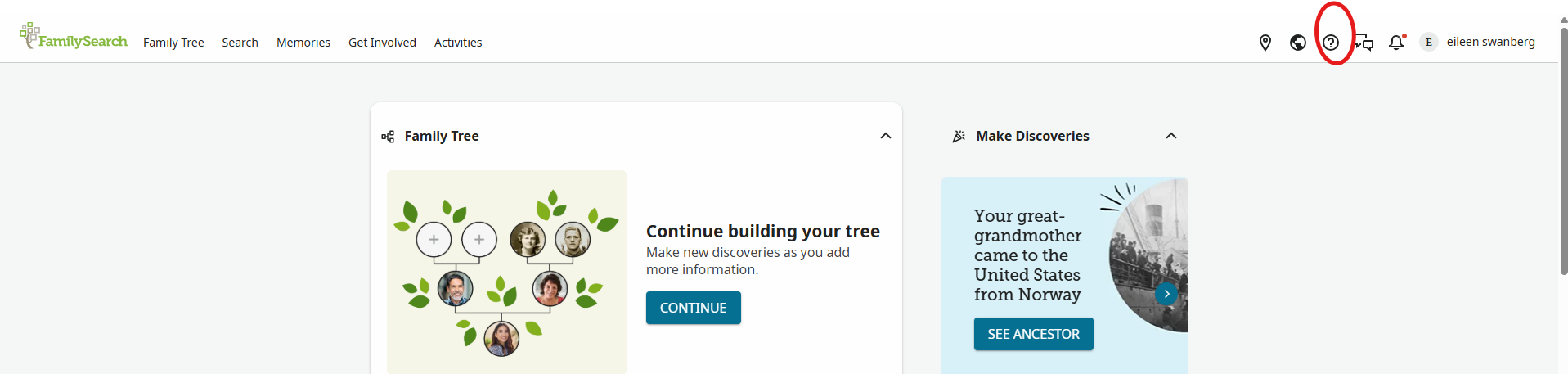
Once you log in to FamilySearch.org, you can go to a person’s page. In this case, I am using my mother’s page to show you some of the functions. Here is the top of her page with a few things circled on it. I will address each one separately.
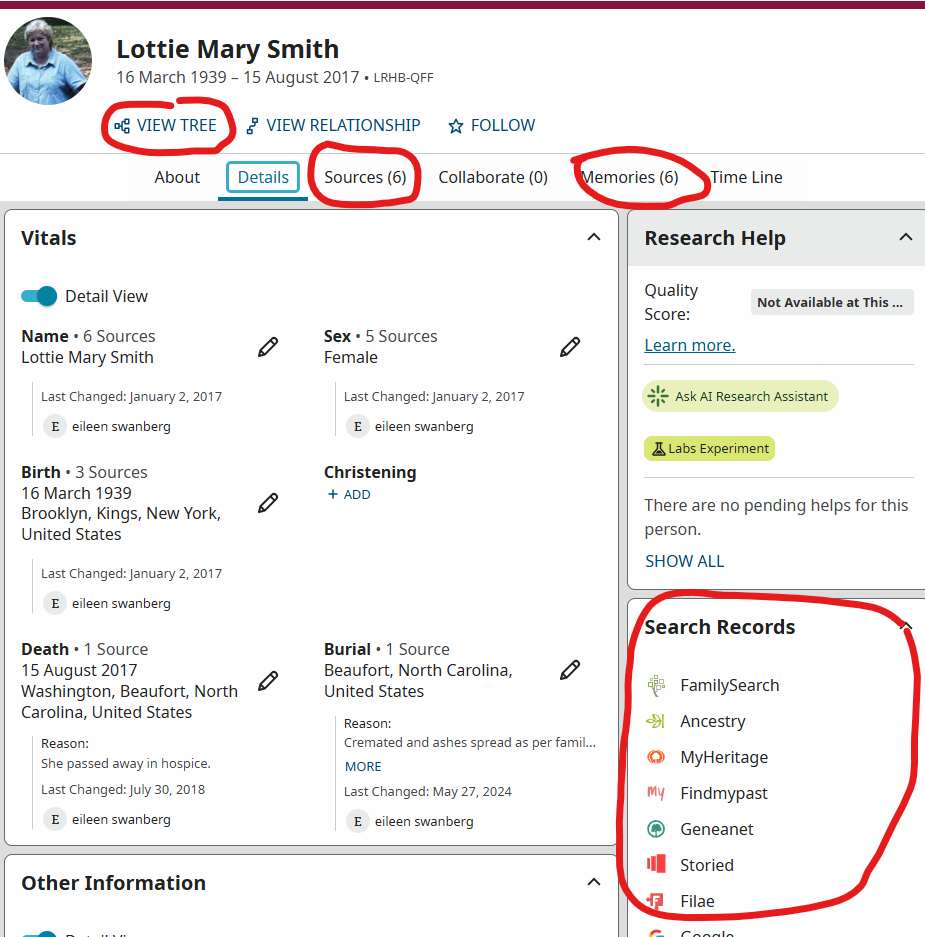
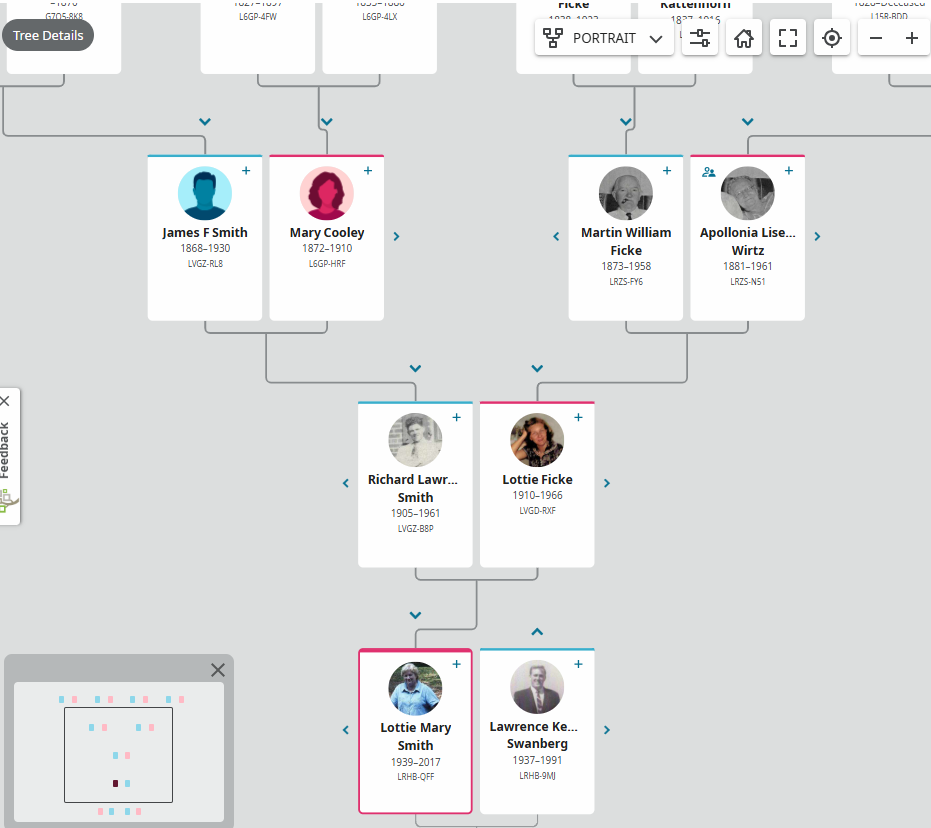
Starting at the top, I can View Tree. You can choose the way you want your tree to look by using the drop-down box at the top of the page. In this tree, it says PORTRAIT. You have other options also.
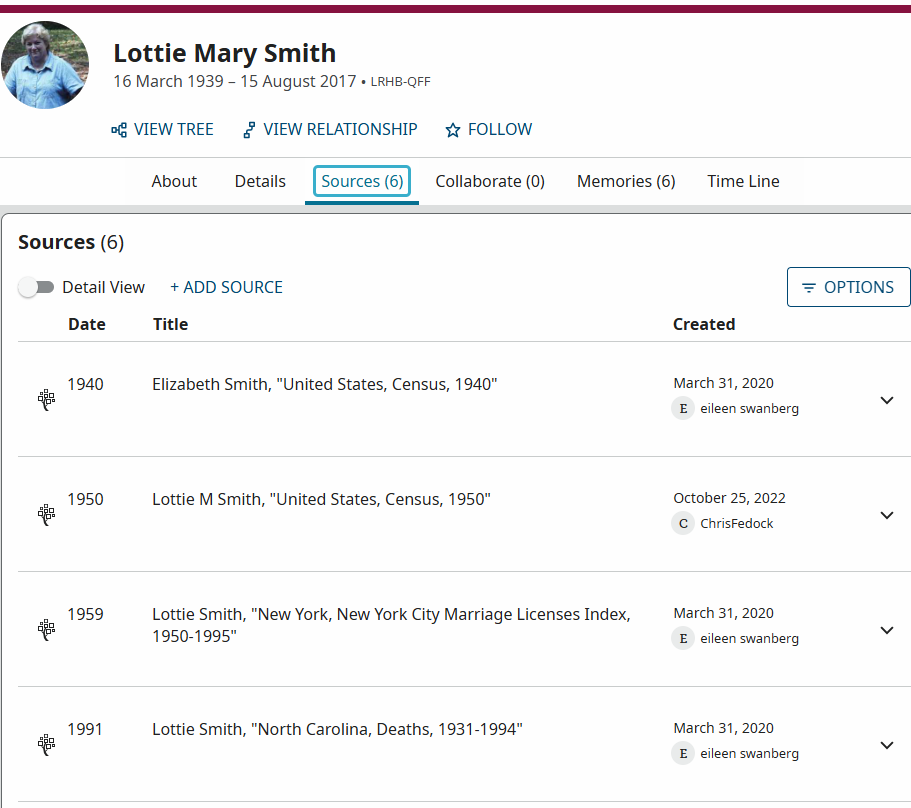
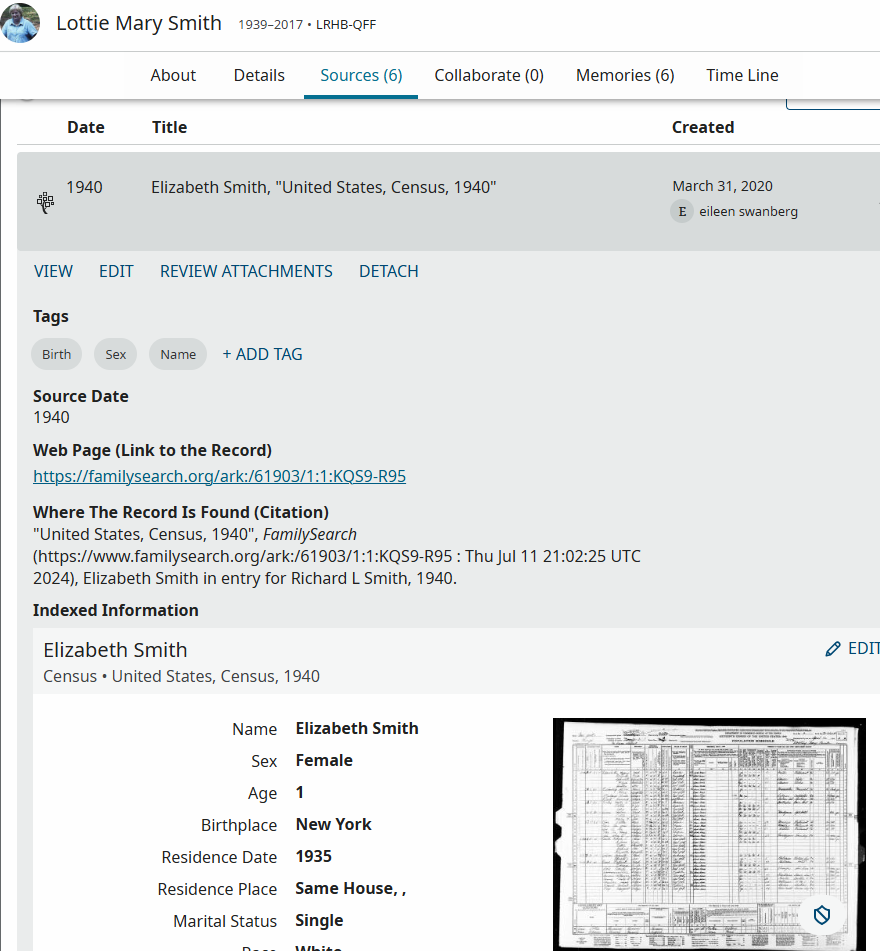
Going back to my mother’s page, the next circled item is Sources. Those are the actual records I have found for her. As an aside, if you have ever taken a workshop I have taught, I use this family’s 1940 census as an example of wrong information on the census and how it can then be added to people’s trees. The first source is for Elizabeth Smith (no one in my family has the name Elizabeth, not even as a middle name!). That is what is entered on the 1940 census, but all the females’ names are wrong. I know they are wrong since I knew all the females. I cannot change the census, but I can make notations on the tree that it is wrong.
By clicking a source, I am taken to the FamilySearch.org page where the record in question was found. I can click on the link given to get to the actual record or click on the small image of the census. I would be checking on sources I did not enter since I cannot accept a source until I see it to be correct based on my knowledge of the person and/or other documents to support what I am looking at.
The next circled option is Memories. I can upload photos, documents, or even make an audio recording to upload.
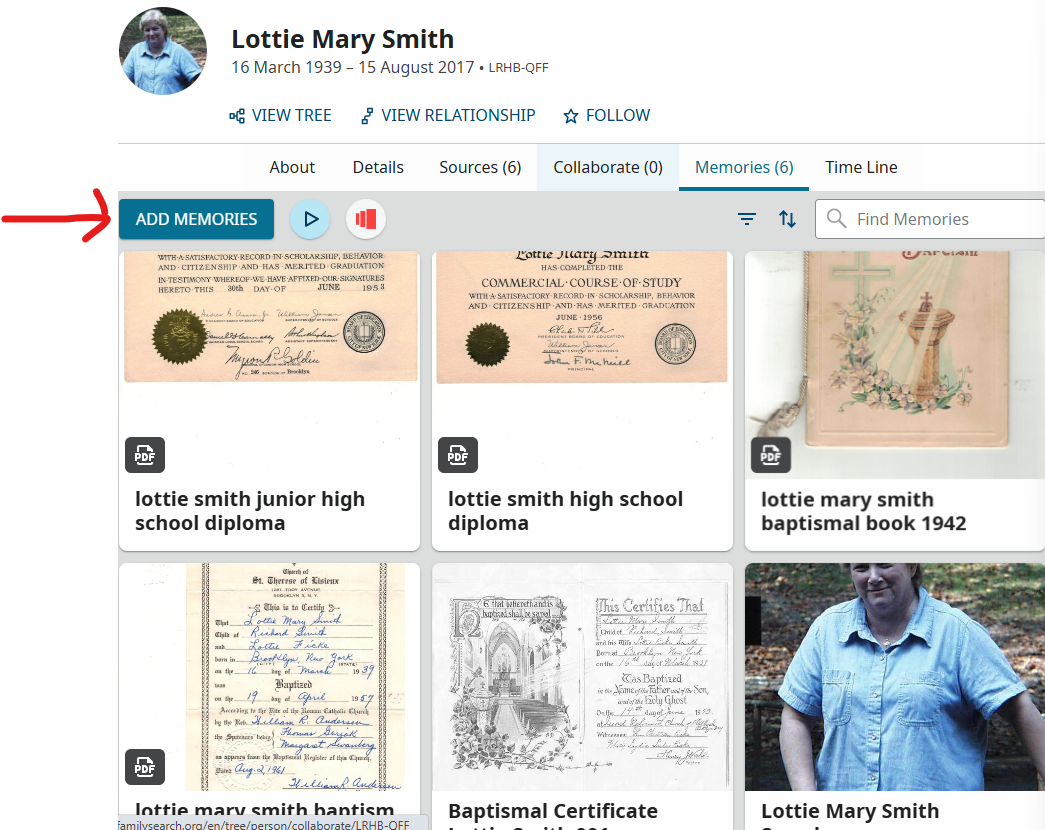
Adding a new memory is as simple as clicking the Add Memories box. You can then select from Upload, Write or Record. To upload a document or photo from your computer, pick Upload and follow the directions. You would either drag and drop or go to the file that has your document and select it from there.
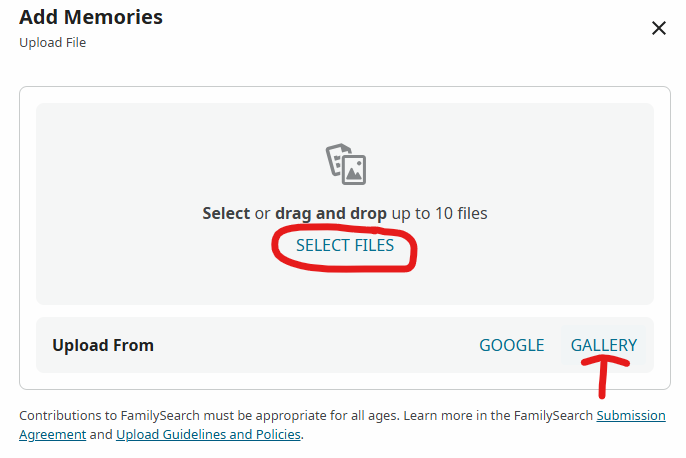
If your document or photo is already uploaded to a Memory for someone else, you cannot upload it from your computer a second time. You must select Gallery to do so. Once in the Gallery you will see every document, photo and recording you have uploaded. Kind of overwhelming if you have added a lot of memories. Never fear, there is a way to sort the memories by albums you make. On the FamilySearch.org homepage there is an option for Memories. Click on that to get the drop-down box, where you select Gallery.
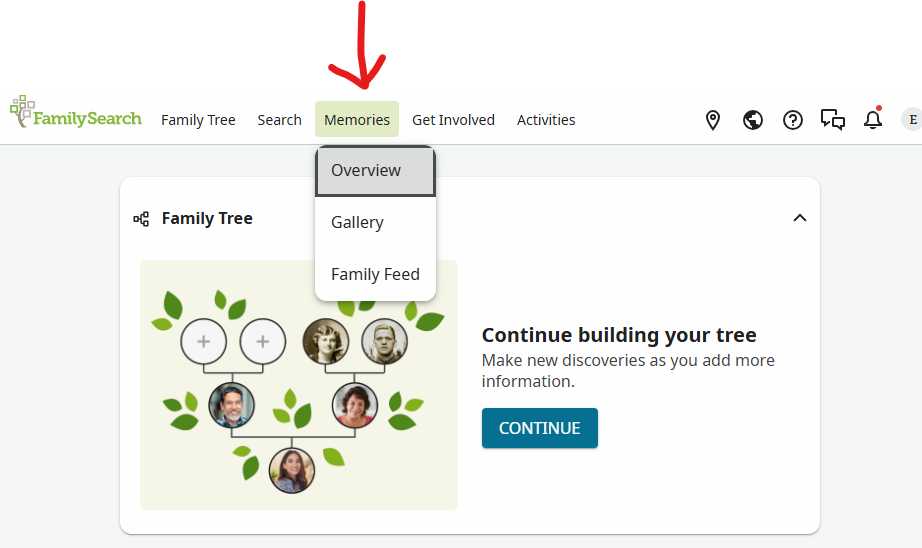
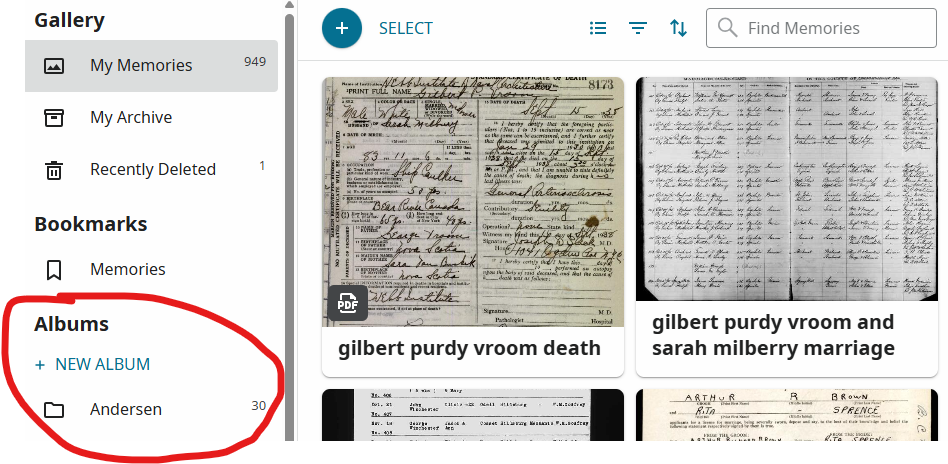
Select Gallery and you will see this page. You can add new albums where you can place your memory in an album you have made.
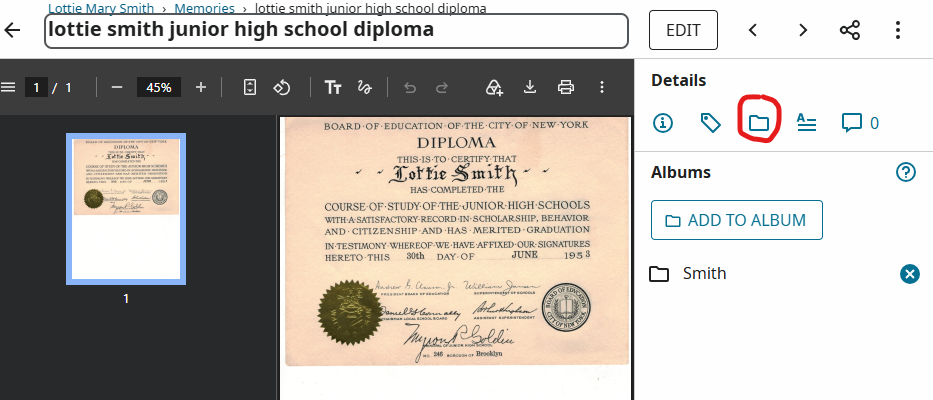
You can put memories in the album once you have uploaded it by clicking on the memory, click on the folder icon on the right-hand side and add it to the album. In this instance, the document is already in the Smith folder, but I could add it to another folder if I wanted to.
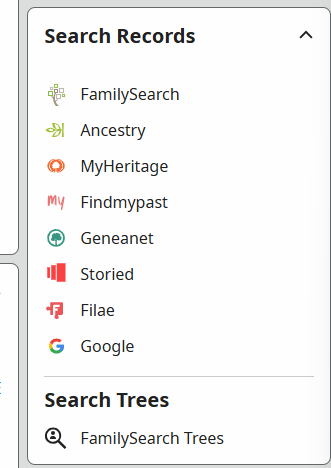
The final piece I want to look at in this article is Search Records. As you can see in this box, you can search other websites also. This does not mean you will get full access to the paid sites FamilySearch.org will search. If you are at a FamilySearch Center or Affiliate Library, you will be able to access the Library editions of the paid sites, such as Ancestry or My Heritage. The Library editions do not let you see everything. So, you may not be able to see a record it takes you to. You would need a paid subscription to see everything on a paid site. But you never know what you can see until you take a look! I can click on any of the choices to search for the person whose page I am on in FamilySearch.org. In this case, I am on my mother’s page.
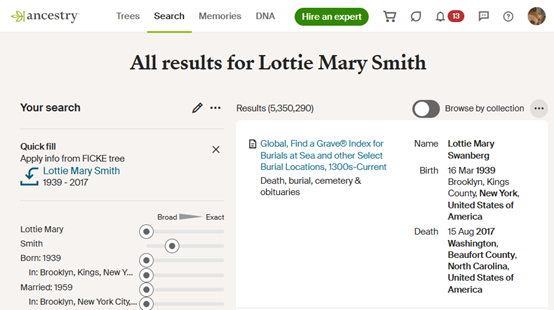
I clicked on Ancestry and it took me to this page. Now, I do have an Ancestry account, so I got all the possible sources for Lottie Swanberg. If you do not have an account, you will not see all that I can see. The first source is Find A Grave, which you would have access to see without an account (since Find A Grave is free to everyone to use). I would need to add this information to my FamilySearch page for my mother since the two websites are not linked together. But if this was a record I could not get on FamilySearch.org, I would at least have the information, and I can copy and paste the URL for this page (or I can go to Find A Grave and copy and paste that URL) into the box.
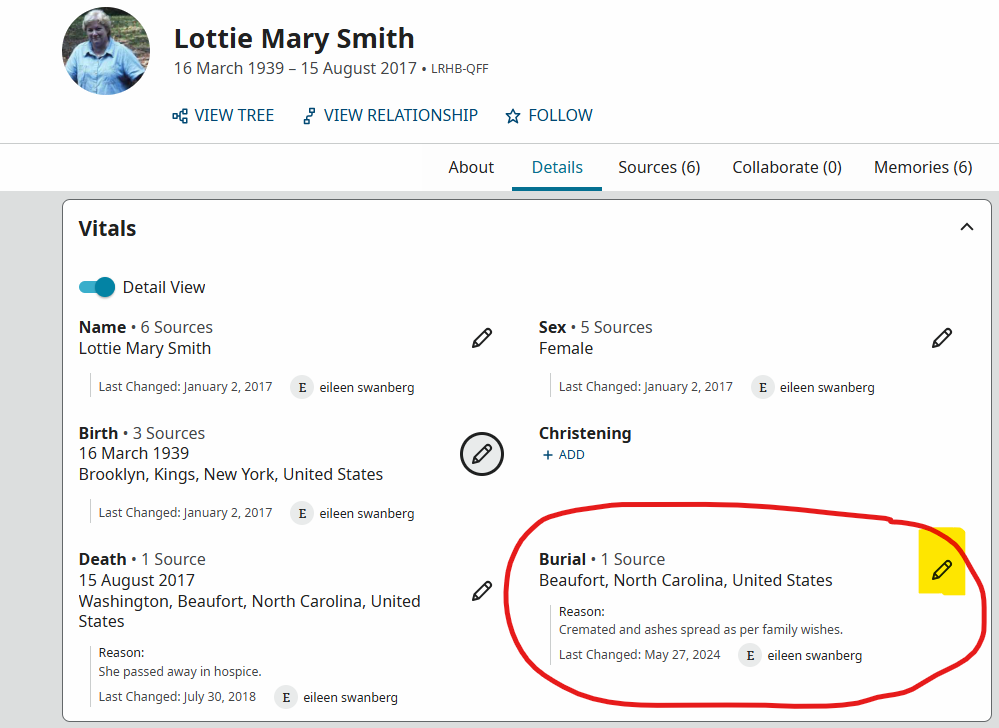
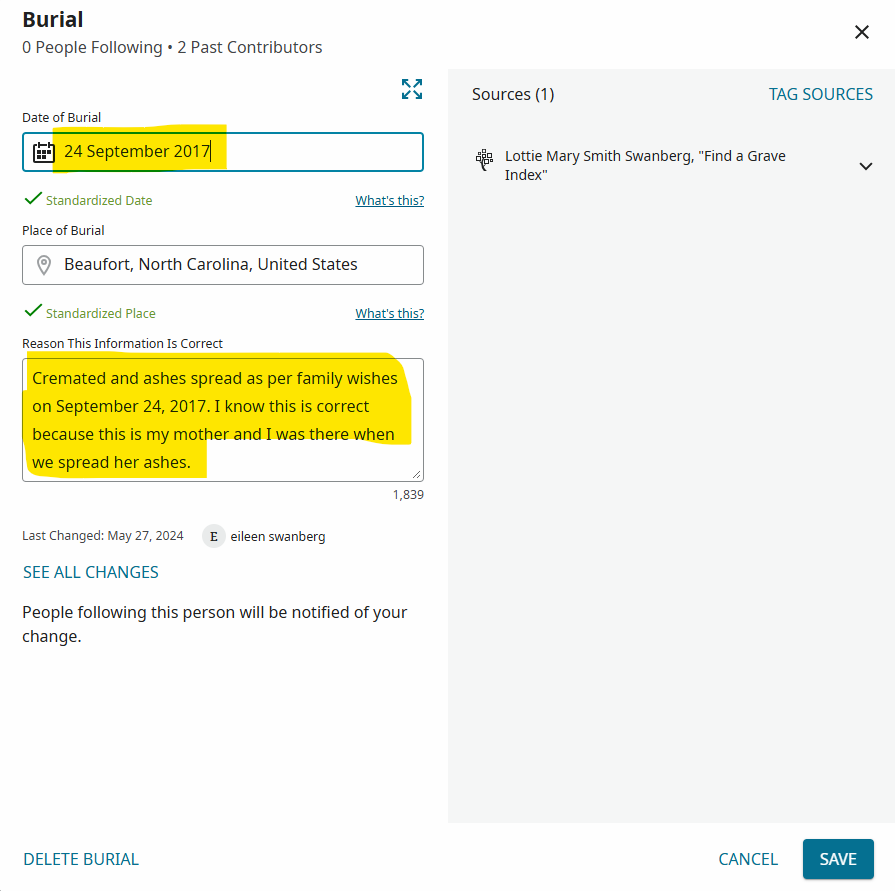
I would need to add this information to my FamilySearch page for my mother since the two websites are not linked together. I can add the date the ashes were spread since I put it on Find A Grave. Had I not been present when this occurred, I could not just take the word of the person who put this information on Find A Grave. I would have to verify it first. So, I would go back to her page, and then click on the edit pencil (I highlighted it in yellow).
I then can type in the date and the reason it is correct and save that information.
If you need to learn more about using FamilySearch.org, you can always use the website to search for answers on how to do things. Or you can go to your local FSC and someone there can help you.