



FAMILYSEARCH.ORG FULL TEXT SEARCH

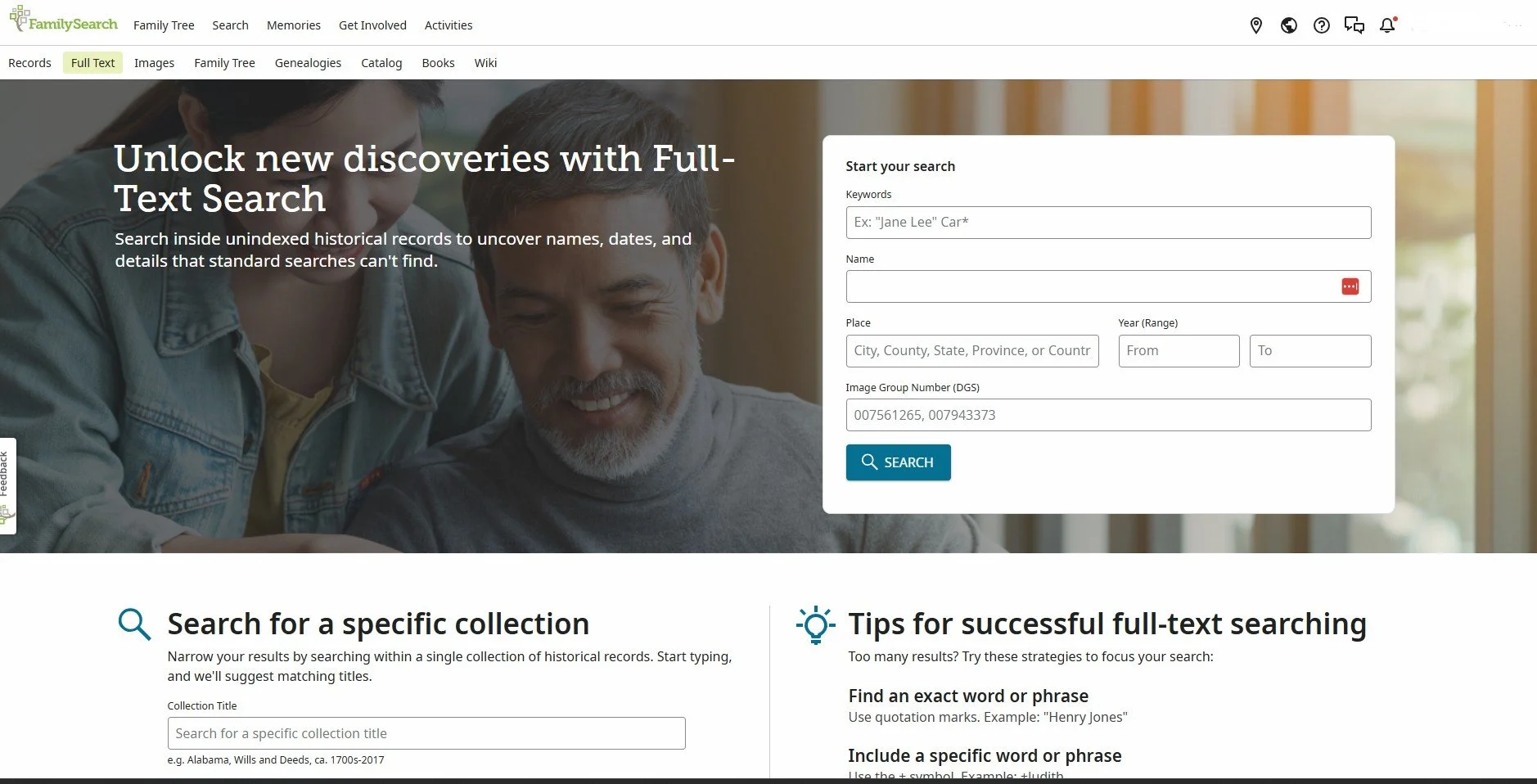
In case you are not aware of it, FamilySearch.org offers a Full Text Search under its Search button. Not all records on FamilySearch are indexed, which means you would need to search out the record set you want using the Catalog or FamilySearch Wiki; then you would need to scroll through each page of the record to see if it might have what you are looking for. That is where Full Text Search comes in! It can search handwritten and typewritten records that are not indexed. Keep in mind that not all unindexed records are in Full Text Search at this time.

With a few simple keystrokes, FamilySearch.org will search the records it has put into a Full Text Search function, and it will see if anything is there for you. As with any search function, the more information you can give, the better the chance of a match. But….Full Text Search does not offer many search options. That is where the FamilySearch Labs comes in!

If you scroll down the home page of FamilySearch.org, you will find the box on the right-hand side that says “FamilySearch Labs” and in that box is another box that says, “View Experiments.” You want to go to “Try Simple Search” in the “Experiments.”

You will find many experiments, or as I like to call them beta tests. Once FamilySearch gets feedback and the bugs out, if it deemed a good “experiment” it can become permanent. That is what happened with Full Text Search. It was in the Labs as an experiment and then was put onto the Search tab when they were ready to go forward with it. Hopefully the “Simple Search” using Full Text Search will migrate over to a full search function soon.

So, how do you use either of these search functions? Easily, actually. Let’s start with Full Text Search. It is best to use the Boolean Search functions when searching names. If you are not familiar with Boolean Search functions, just do a search of the term on the internet. Most websites allow for Boolean Search functions; I bet you have used them already and did not even know that they had a name! In this case, you would want to put parentheses around the name of the person. If you don’t, you can end up with so many wrong hits on the search. For example, if you are looking for James Smith in Brooklyn NY (sadly, that is my great grandfather’s name!) and did not use “James Smith” as your search choice in the name box, it will find every James, Smith, and James Smith! By using the parentheses, it only looks for James Smith. Putting in a place name is important too, or else you will get James Smith’s anywhere in the world!

Okay, so what is the Simple Search then? It is an easier way to use the Full Text Search function. You can write in all the information you know and what you are looking for on a particular person or place. When I first tried it, I did not even use sentences; rather I just wrote out the information as one long run-on sentence, and it worked just fine.

Please keep in mind that not all records are in the Full Text Search, so don’t be surprised if you don’t find something. If you are on the Full Text Search page, scroll down a bit and you will see “Search for a specific collection” and in that box “Browse All Collections.” As of this writing, there are 6,665 record sets in Full Text Search.

Another new way that Full Text Search is showing up on FamilySearch.org is in the Catalog Section of the Search tab. When you search in the Catalog and look at the section where it shows where the records are and how they can be viewed, you might see a new icon there. It looks like the piece of paper FamilySearch uses to denote a transcript of a record is available. The difference is minor – a plus sign in the upper right-hand corner of the piece of paper icon. That means that it is available with Full Text Search. Those records that are not indexed are the ones that can have this new symbol. After all, if it is indexed you won’t need a Full Text Search!

One final note on what records can be found using a Full Text Search, or the Simple Search. Just as with their other records, there are contractual agreements with whomever owns the actual records. What that means for you is that not all records on Full Text Search or Simple Search may be viewable from home. They may not even be viewable at an Affiliate Library. You just may need to go into your FamilySearch Center to see all that is available on Full Text Search or Simple Search.