Artificial Intelligence (AI), Genealogy, and the Big 3
Last month, I discussed using FamilySearch.org’s Full Text and Simple Searches. Staying in the vein of advances in family research, I am going to look at AI search methods on the Big 3’s websites.
AI is not new to genealogical research, as all the websites have been using it in some form or another for their search functions. What has changed is how some sites are using AI to further enhance your research with stand-alone interfaces.
FindMyPast does not have a stand-alone AI interface to help you with your research at this time. What their future holds, I cannot say; but it is safe to say that they may be working on something since the other sites are starting to use AI in some ways.
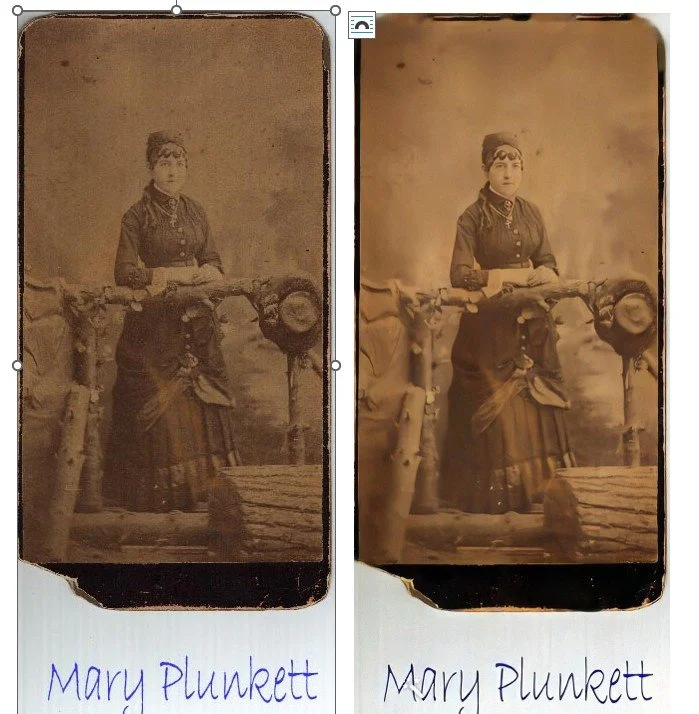
Ancestry does not have a stand-alone AI interface at this time for searching records either. They offer a Full Text search now on their Search drop down box, but it is not a stand-alone AI interface. Also, it is still in the Beta testing mode, so not everyone has it. It does not have as many documents available as FamilySearch does yet either. What they do have is a photo enhancing option you can find under the Memories drop down menu, called Restore Photos. It uses AI along with digital editing tools to “clean up” photos. This did a decent job of cleaning up and colorizing the photo of my great grandmother. You do need a subscription to Ancestry to be able to use this function.
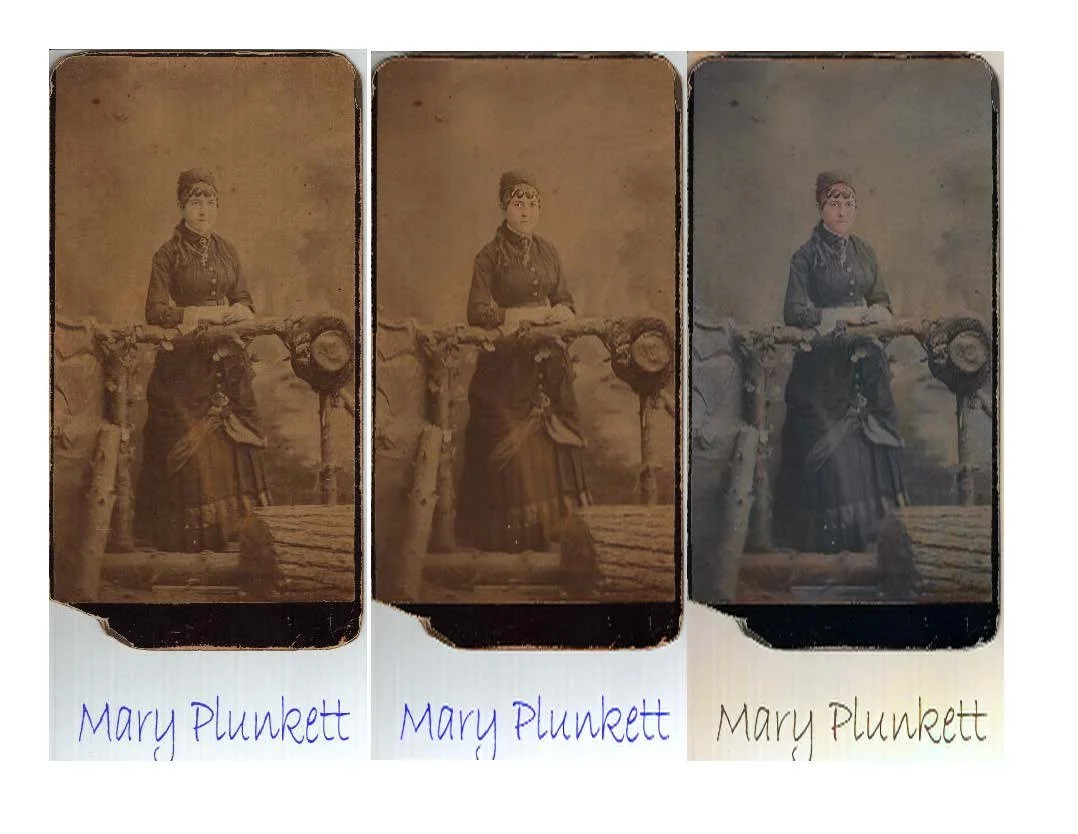
MyHeritage is the only one of the Big 3 using a stand-alone AI interface to help you with your research. They do have a few options under the Photos drop down menu. Two help you to “clean up” and colorize your photos. I had an old photo of my great grandmother that was not in the best condition, so I uploaded it for repairing, enhancing and colorization. As you can see with the two photos side by side, these options work very well.
The other option is called Scribe AI, which can analyze and transcribe and translate photos and documents with your uploaded photos or documents. I uploaded a very fuzzy, faded photo of people and let it do its’ “magic.”
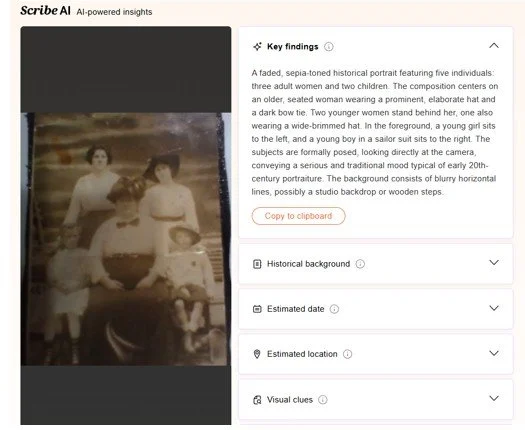
Since I knew some background on this photo, I wanted to see what Scribe AI would say about it. I was pleasantly surprised to see how on target it was! The heavy-set, older woman in front is Polly Andersen Hansen, with her sister Martha Andersen Swanberg on her left and her stepsister, Olga Mattisen Andersen, on her right. The children fit with the ages of any of the women’s children. A little more work on my part to clear up the photo more and I should be able to name the son at least. I am not sure if I can name the daughter though since I don’t have any photos of Olga or Polly’s girls. I know it can’t be Martha’s daughter based on the age of the boy since Martha died in 1907 and her daughter was much younger than her two older brothers.
Then I upload a document from Antenati, the Italian Archives, for transcription and translation. Once again, I picked something I already had the information on so I could check on the accuracy of Scribe AI.
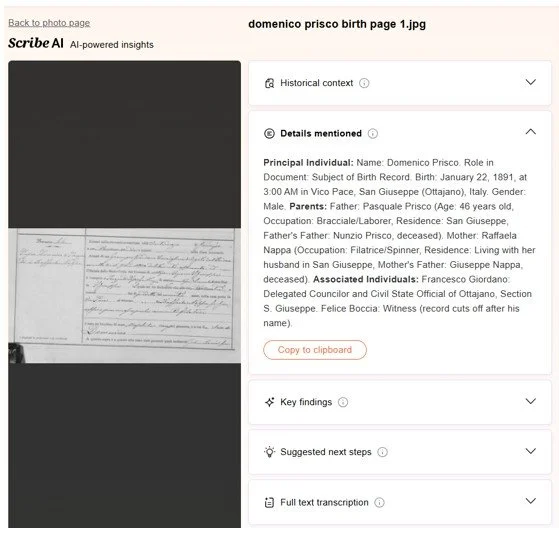
The details mentioned are right on target (and much better than the paid version of ChatGPT I used to originally transcribe and translate this document).
So, overall, I would have to say that I am very happy with MyHeritage’s options of “cleaning up” photos and analyzing photos and documents. The only drawback would be that you need a subscription to MyHeritage to be able to use this function.
As time goes on, I am sure you will start seeing much more AI interfaces with all the genealogy websites, so always check back with the sites you subscribe to see if they have any Beta testing going on.